One operating picture
Bring authorized camera, gate, geofence and transport events into a shared incident view.
 SafetycodxSafer Schools. Brighter Futures.
A School Security Operations Centre (SOC) acts as the central hub for campus safety, synthesizing multiple data streams into a unified operating picture.
Features shown are proposed workflows; hardware compatibility is assessed during onboarding.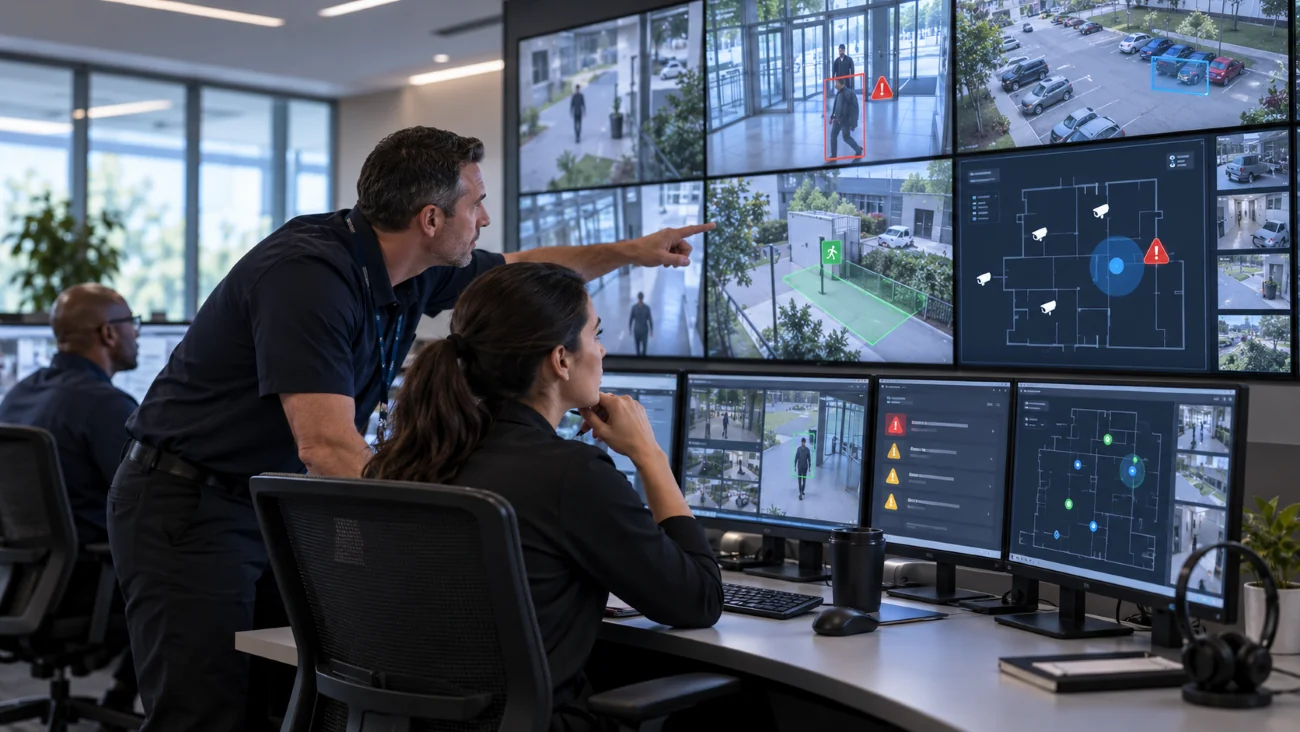
A School Security Operations Centre (SOC) acts as the central hub for campus safety, synthesizing multiple data streams into a unified operating picture. Implementing a dual-surface visualization framework, combining a macro-level Wall Screen (Video Wall) with micro-level Desktop Workstations, ensures real-time incident detection and rapid response orchestration.
By using an Integrated Video Management System (VMS) and an IoT tracking platform, this setup unifies perimeter monitoring, entry systems, and transit safety into a single, cohesive interface.
An effective modern SOC relies on cross-system triggers, so operators don't have to manually watch every camera:
Gate to Wall Event: When an unauthorized vehicle triggers an ANPR camera at the school gate, the desktop console flags it, and the corresponding camera view automatically enlarges onto the main wall screen.
Geofence to Camera Link: If an individual crosses a virtual perimeter boundary out of hours, an alarm sounds, and the nearest pan-tilt-zoom (PTZ) camera automatically tracks the target.
Bus Alert Redirection: If a school bus deviates from its geofenced transit route or encounters an emergency, an automated alert updates the desktop dashboard with a precise map link and live cabin photo snapshot.
While the wall screen displays the big picture, the operator's desktop is built for active interaction, handling individual tasks and managing live incidents.
School Gate & Access Interlocks: Features direct controls to override automated gates. When a visitor presses the intercom, a high-priority window pops up on the desktop showing the gate camera, license plate data (ANPR), and the visitor logbook simultaneously.
Bring authorized camera, gate, geofence and transport events into a shared incident view.
Use the wall screen for priority events while operators inspect details and document decisions at their workstations.
Record the alert source, staff response and outcome so the school can review each incident.
Each stage can be configured around the school’s existing operating procedures and the capabilities of compatible devices.
Connect supported VMS, access and location data feeds.
Present priority events with their original timestamps and device status.
An operator verifies the event and opens relevant camera or map context.
Authorized staff dispatch the response and record the outcome.
Attendance, transport, parent communication and incident handling are more useful when staff can follow related information without losing permissions or context.
Explore the full platform →No. ANPR, PTZ, gate controls and snapshots depend on compatible equipment, permissions and school procedures.
The intended wall view emphasizes operational summaries. Detailed student access belongs to authorized desktop roles.
Tell us what your team needs. We will use your details to prepare a relevant conversation.
Book a Demo →