Daily school overview
See attendance, bus status and perimeter observations in a shared administrative view.
 SafetycodxSafer Schools. Brighter Futures.
An integrated School Administrative & Security Operations Centre (ASOC) merges daily student workflow with high-level campus security.
Features shown are proposed workflows; hardware compatibility is assessed during onboarding.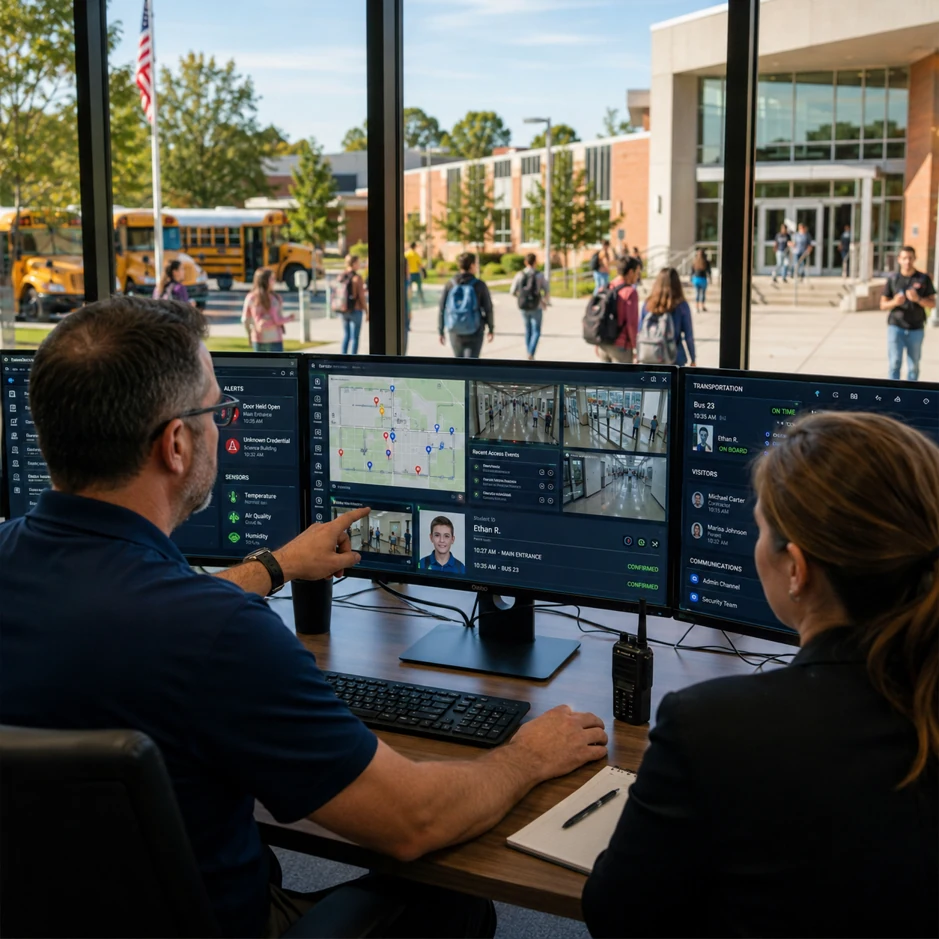
An integrated School Administrative & Security Operations Centre (ASOC) merges daily student workflow with high-level campus security.
An integrated school safety and operations system unifies multiple tracking layers onto a single management plane. This architecture is designed for simultaneous deployment on administrator desktop dashboards and dedicated, high-visibility wall monitors within the school's central administrative or security office.
By combining real-time student location telemetry, indoor classroom analytics and vehicle telematics, the system provides a holistic view of institutional health and immediate situational awareness during security incidents.
To manage this volume of live data effectively, the system divides information across two distinct display formats to prevent cognitive overload.
The Fleet Map: A live, continuous map showing all active school buses moving through their routes. High-priority colour codes quickly identify delayed vehicles or route deviations.
Perimeter Status Matrix: A full schematic diagram of the school grounds detailing the digital geofence boundary. It visually highlights entry/exit points and displays instant flashing indicators if an unapproved student crosses a perimeter zone.
The Main Attendance Ticker: Live, high-level dashboards tracking macro-level data, such as overall campus attendance percentages, total student counts and active bus occupancy tallies.
Granular Student Lookups: Deep-dive panels allowing staff to type a student's name to instantly locate their scheduled classroom, checked-in bus or precise time of arrival.
Exception & Alert Resolution: A dedicated workflow queue to handle system anomalies, such as an unexcused absence alert, a bus speeding notification or a late check-in.
Reporting & Analytics Dashboard: A localized suite for pulling long-term historical records regarding chronic truancy patterns, peak perimeter congestion times and overall transit route efficiency.
See attendance, bus status and perimeter observations in a shared administrative view.
Give authorized staff student lookups and a queue for attendance, transport and safety exceptions.
Review historical attendance and route patterns without exposing individual records on a public wall display.
Each stage can be configured around the school’s existing operating procedures and the capabilities of compatible devices.
Configure school roles, permitted data and the connected devices.
Show aggregate attendance, fleet and perimeter states on the wall display.
Staff investigate a student or transport exception in the desktop view.
Record the resolution and send permitted updates.
Attendance, transport, parent communication and incident handling are more useful when staff can follow related information without losing permissions or context.
Explore the full platform →The proposed overview favors aggregate counts. Individual lookups require an authorized staff desktop.
Updates depend on installed equipment and connectivity. The final interface should show last-seen times and stale data.
Tell us what your team needs. We will use your details to prepare a relevant conversation.
Book a Demo →