Child-specific home screen
Show linked children with verified attendance status, recent activity and relevant messages.
 SafetycodxSafer Schools. Brighter Futures.
Student attendance alert is an automated system notification designed to track student presence and flag unauthorized absences.
Features shown are proposed workflows; hardware compatibility is assessed during onboarding.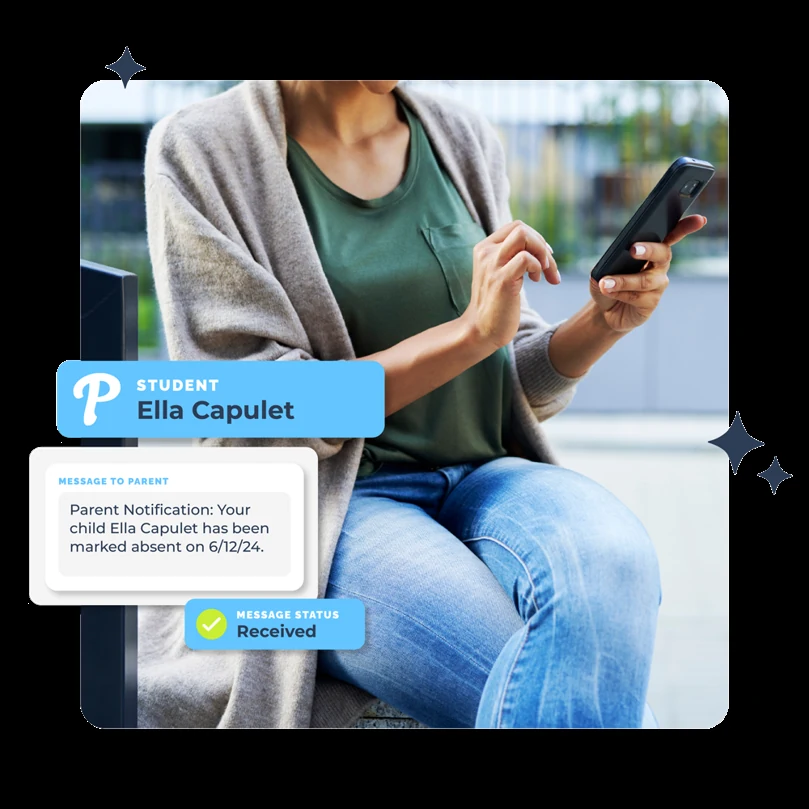
Student attendance alert is an automated system notification designed to track student presence and flag unauthorized absences.
Student Attendance Alert and Live School Bus GPS Tracking System is a unified, smart transport solution designed to give parents real-time visibility over their child’s daily commute. By merging GPS trackers, Beacon and RFID cards with a central mobile application, the system bridges the communication gap between schools and families, significantly reducing parental anxiety about bus delays or missing children.
Live GPS Map Tracking: Parents view an interactive map showing the exact real-time location, movement speed, and estimated time of arrival (ETA) of the school bus.
Automated Student Attendance: Systems use touchless or handheld devices inside the bus to log when a student boards or exits.
Instant Notification: If a student is unaccounted for during homeroom or first period, the system automatically triggers an SMS, email, or app push notification to the parent within stipulated time.
Geo-Fencing & Arrival Zones: Virtual boundaries trigger alerts the moment the bus enters a pre-set home zone or school campus.
Safety & Empty-Bus Checks: Drivers and attendants complete digital clearance scans to ensure no child is left behind on the vehicle.
Show linked children with verified attendance status, recent activity and relevant messages.
Display the assigned bus, route progress and permitted ETA information when data is available.
Distinguish confirmed arrival from an unverified detection or a safety event still under school review.
Each stage can be configured around the school’s existing operating procedures and the capabilities of compatible devices.
A school administrator links an authorized guardian to a student.
The guardian activates their account and chooses notification preferences.
The school verifies a supported attendance or transport event.
The guardian receives an appropriate update for the correct child.
Attendance, transport, parent communication and incident handling are more useful when staff can follow related information without losing permissions or context.
Explore the full platform →No. Parents should only access children linked to their authorized accounts.
Notifications depend on the event type, school rules, device availability and verification state.
Tell us what your team needs. We will use your details to prepare a relevant conversation.
Book a Demo →